
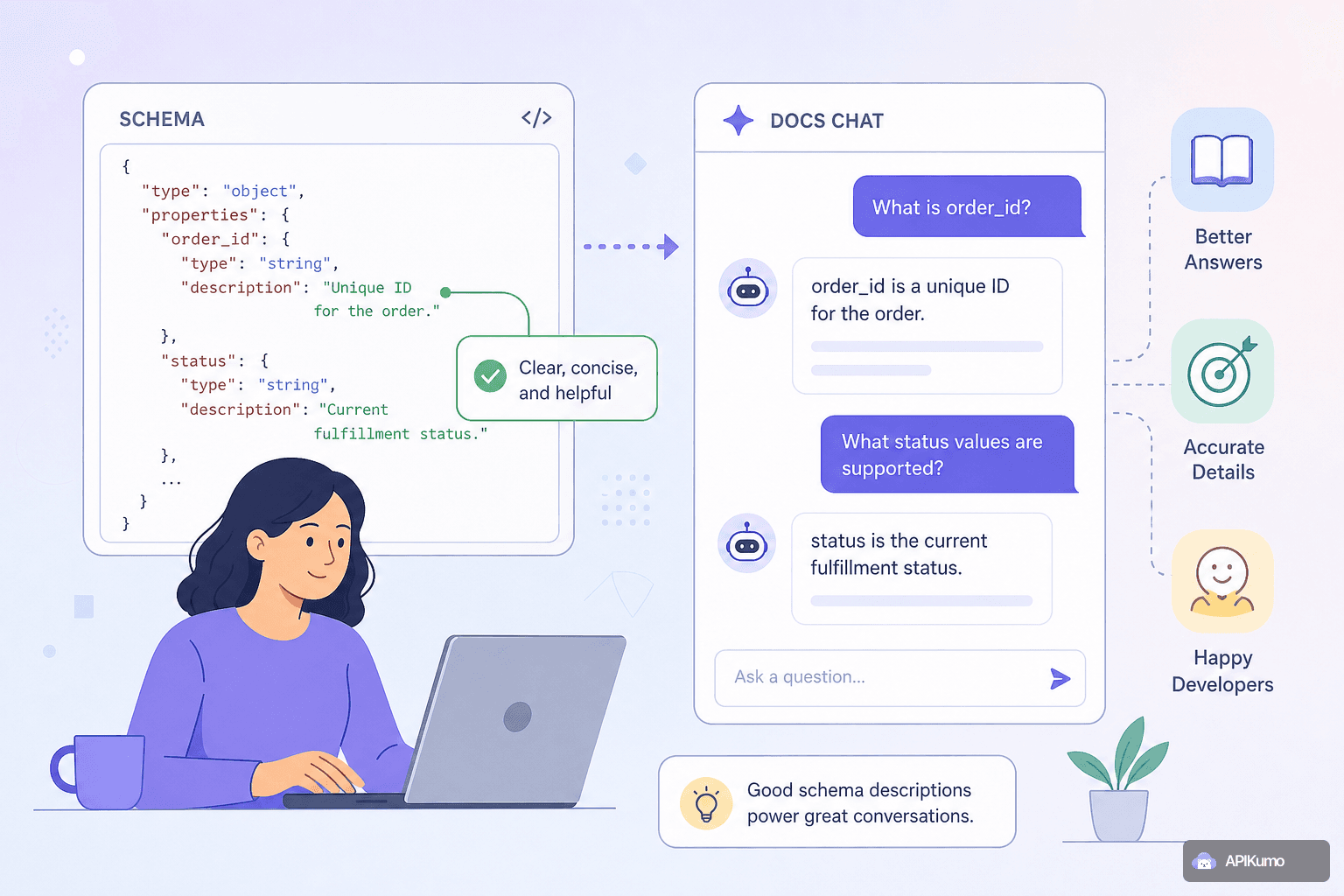
Every published apikumo Docs Site includes a chat assistant powered by Claude. Readers can ask it questions like "What value should I pass for status?" or "Which fields are required when creating an order?" and get a direct, grounded answer rather than hunting through the page themselves.
But the assistant is only as good as what you give it to work with. Claude grounds its answers in the schemas and descriptions you publish — it does not guess, hallucinate field names, or pull information from anywhere else. That means a well-annotated schema produces precise, confident answers, and a sparse one produces hedged non-answers or silence.
This guide walks through the specific writing decisions that make the biggest difference.
How the chat assistant uses your schema
When you publish a collection, apikumo surfaces the structured schema data — field names, types, enums, examples, and your prose descriptions — in the same content layer that the chat assistant reads. Claude does not read your raw HTTP responses; it reads the schema you defined in the editor.
That distinction matters. If a field exists in a live response but is absent from your schema, the assistant has no knowledge of it. If a field is in your schema but has no description, the assistant knows the field exists and its type, but nothing about what it means or when to use it.
Think of your schema descriptions as the source of truth you are writing for two audiences simultaneously: human readers scanning the docs page, and Claude answering follow-up questions on their behalf.
Writing useful field-level descriptions
A field description should answer three implicit questions a reader might have:
- What does this field represent? State the business meaning, not the technical type — the editor already shows the type.
- What constraints apply? Character limits, numeric ranges, format requirements (ISO 8601, E.164, UUID v4, etc.).
- When is it present or required? Is it optional? Conditionally required depending on another field? Read-only on responses?
Weak description:
status string The status.
Strong description:
status  string
The current processing state of the order. Set by the server;
client writes are ignored. Possible values are documented in
the `status` enum below. Transitions only move forward
(pending → confirmed → shipped → delivered); a cancelled
order cannot be reactivated.
The second version gives Claude enough context to answer "Can I set status myself?", "What happens after confirmed?", and "Can I reopen a cancelled order?" — all without you writing separate FAQ entries.
Explaining enums so the assistant can reason about them
Enum fields are where most schema annotations fall short. Listing the values is not enough — Claude needs to know what each value means and when a caller would choose it.
In the schema editor, give each enum member its own explanation. Treat each value like a short glossary entry:
| Value | Explanation |
|---|---|
pending | Order received but not yet validated by the fulfillment system. Inventory is not reserved. |
confirmed | Payment captured and inventory reserved. The order will be picked. |
shipped | A shipping carrier has scanned the parcel. tracking_url is now populated. |
delivered | Carrier confirmed delivery. Triggers the post-delivery email sequence. |
cancelled | Order voided before shipment. Any captured payment is automatically refunded within 5–10 business days. |
With per-value explanations in place, a reader who asks "When does tracking_url get populated?" will get an answer that cites shipped — sourced directly from your annotation, not inferred.
Example values that actually help
Example values serve two roles: they orient human readers instantly, and they give Claude a concrete reference point when a question is about format or shape.
Follow these principles when writing examples:
- Make examples realistic, not placeholder text.
"2024-03-15T09:30:00Z"is better than"string"."ord_01HX3K9P2T"is better than"id". Realistic examples implicitly communicate format. - Use examples to show edge cases. If a field accepts a nullable value, include
nullas an example in the description note, even if the editor only supports a single example value. - Keep examples consistent across related fields. If
created_atis"2024-03-15T09:30:00Z", thenupdated_atshould be a plausible later timestamp, not an identical or earlier one. Small inconsistencies erode reader trust.
Example values propagate into the Try-it panel inside your published docs, so realistic values also reduce the friction for readers who want to call your API directly from the page.
What happens when descriptions are left blank
It is worth being explicit about the degraded experience so the cost of skipping annotations is concrete.
When a reader asks the chat assistant about an undescribed field, Claude will typically respond with one of:
- A hedged statement: "The schema lists a
webhook_secretfield of type string, but no further documentation is available." - A refusal to speculate: "I don't have enough information to explain what
retry_policycontrols." - Silence on edge cases: questions about transitions, constraints, or side effects simply cannot be answered.
None of these outcomes are wrong — Claude is behaving correctly by not hallucinating. But they shift the burden back onto the reader, who must then file a support request or abandon the integration. A blank description is not neutral; it is a small but real cost paid by everyone who reads your docs.
A practical annotation workflow
Rather than annotating everything at once, a sustainable approach is to prioritize by reader impact:
- Annotate required fields first. These are what every reader will encounter on their first integration attempt.
- Annotate enum fields next. They generate the most chat questions because the valid values are not self-evident from their names.
- Annotate fields that have changed recently. Use the changelog entry as a prompt — if something changed enough to be worth noting in a version snapshot, it is worth explaining in the schema.
- Annotate optional and deprecated fields last. They matter, but fewer readers will ask about them immediately.
When you snapshot a collection version and publish it, readers on that version see the annotations as they were at snapshot time. Keeping annotations in sync with the schema as you evolve it means each published version remains self-contained and accurate.
Verifying your annotations before publishing
Before you publish or snapshot a version, open the Docs Site preview and try the chat assistant yourself with the questions your readers are most likely to ask. A few prompts worth testing for any collection:
- "Which fields are required to create a [resource]?"
- "What does [enum value] mean?"
- "What format should I use for [date/ID/phone field]?"
- "What happens when I send [edge case value]?"
If the assistant hedges or says it does not have enough information, trace the gap back to the schema editor and fill in the missing description. This loop — write, preview, test, fill gaps — takes ten minutes per endpoint and dramatically improves the quality of every conversation your readers will have with the docs.
Summary
The docs chat assistant is a multiplier on the work you put into your schema editor — it makes well-annotated schemas available to readers as a conversational interface, on demand, at any hour. Writing clear field descriptions, per-value enum explanations, and realistic examples is not extra work on top of building your docs; it is building your docs, in the form the assistant can use.
Start with required fields and enums, test the chat assistant in preview before each publish, and treat a hedged answer as a direct signal that a description needs filling in. The investment is small per field and compounds across every reader who gets an accurate answer instead of a dead end.