
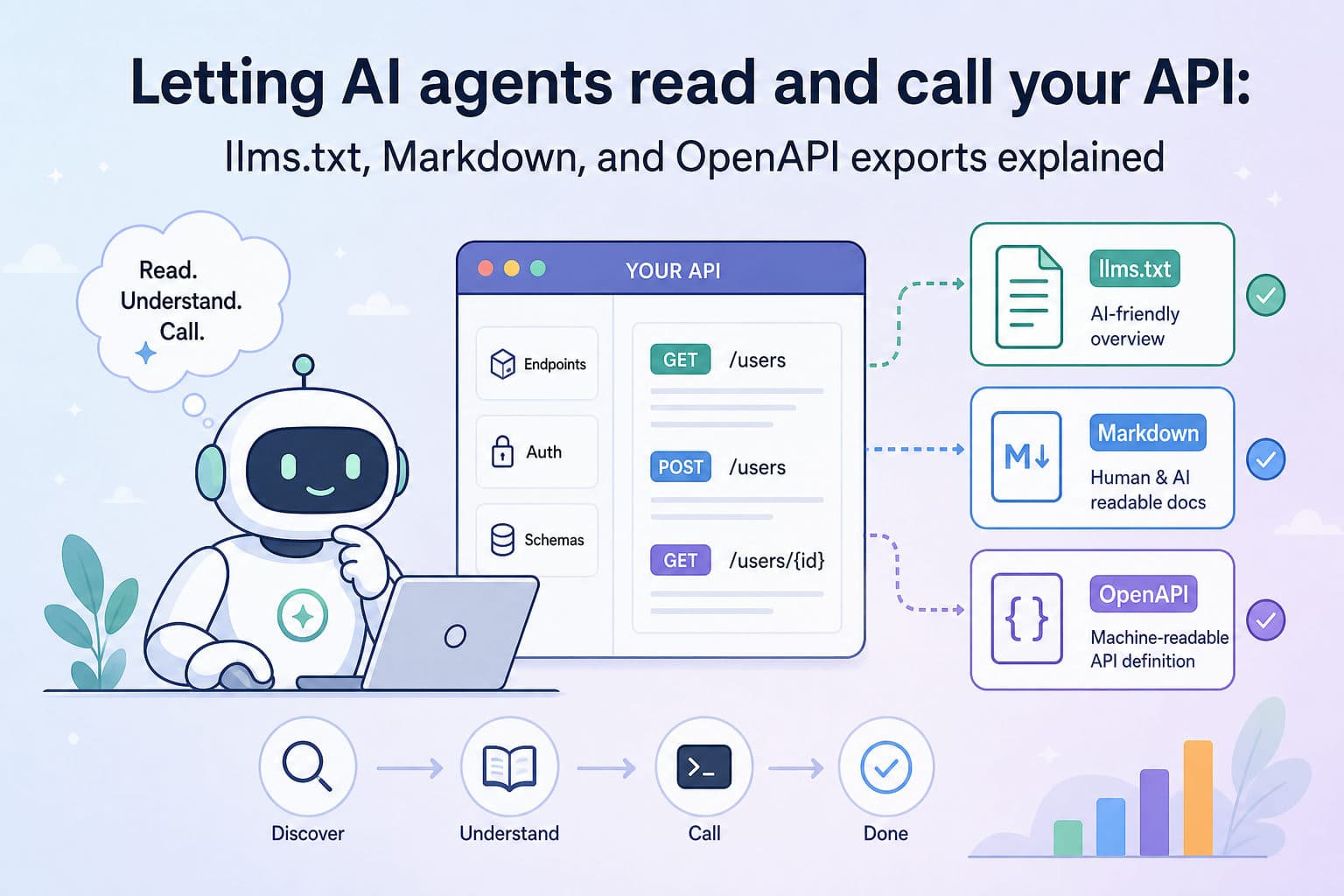
AI-powered tools — coding assistants, autonomous agents, LLM-based pipelines — are increasingly expected to discover and call APIs on their own. That puts a new requirement on developer-experience and platform teams: your API surface needs to be machine-readable at a predictable URL, without asking the agent to log in, parse HTML, or handle redirects. apikumo's publish layer is built around exactly that constraint. Every published collection exposes three export formats on its public subdomain so that any LLM-driven workflow can fetch what it needs and start working.
Why agents need a different kind of docs
Human readers tolerate some friction: a login wall, a search step, a bit of prose navigation. Agents don't. An autonomous tool calling your API at runtime needs to:
- Fetch a structured description of available endpoints in one request.
- Understand parameter names, types, and constraints without inferring them from prose.
- Know which fields are required and what the response shape looks like.
- Ideally, be able to call endpoints directly from within its tool-use loop.
Traditional docs sites fail all four of these. A well-configured apikumo published collection passes all of them.
The three export formats and where to find them
When you publish a collection to your apikumo subdomain — say, acme.apikumo.com — three machine-readable exports become available automatically on the same origin:
| Format | URL pattern | Best for |
|---|---|---|
llms.txt | acme.apikumo.com/llms.txt | Compact, token-efficient context for LLMs |
| Markdown | acme.apikumo.com/docs.md | Readable by both humans and models; easy to paste into a system prompt |
| OpenAPI 3 | acme.apikumo.com/openapi.json | Agent frameworks, SDK generators, and tools that consume a spec |
All three are reachable without any auth headers, so an agent can GET them in a single unauthenticated request. You control who sees the interactive docs through visibility modes (Closed, Open, or Restricted), but the machine-readable exports follow the same setting — if the collection is Open, the exports are Open.
llms.txt: compact context for token-constrained models
llms.txt is an emerging convention for giving language models a concise, structured summary of a site or API. Our implementation generates one automatically from your collection: endpoint names, URLs, methods, a one-line description per endpoint, and links to the per-endpoint Markdown pages for deeper detail.
A snippet might look like this:
# Acme Payments API

> Process payments, manage refunds, and query transaction history.

## Endpoints

- POST /payments — Create a new payment intent
- GET /payments/{id} — Retrieve a payment by ID
- POST /payments/{id}/refund — Issue a full or partial refund
- GET /transactions — List transactions with cursor-based pagination

## Further reading
- https://acme.apikumo.com/docs/payments/create
- https://acme.apikumo.com/docs/payments/get
Because it's small, it fits comfortably inside a context window. Tools like Claude or Cursor can fetch it at the start of a session and immediately know what your API does — without loading megabytes of HTML.
Markdown export: the paste-anywhere format
The Markdown export renders every saved request as a structured page: method badge, full URL, query parameters, request headers, request body schema, example values, and the latest recorded response. It mirrors exactly what a human reader sees in the docs UI, but as plain text.
This makes it useful in a few distinct workflows:
- System prompt injection. Paste
docs.mddirectly into a system prompt when you want a model to operate with full knowledge of your API for a single session. - RAG pipelines. Chunk the Markdown file and embed it so a retrieval-augmented agent can look up the right endpoint at query time.
- PR-time context. Drop the Markdown export into a CI artifact so reviewers and AI code-review tools both have the current API spec alongside the diff.
Because the export is generated from your live collection, it stays in sync every time you publish a new version — no manual copy-paste step needed.
OpenAPI 3 export: for frameworks that speak spec
OpenAPI 3 is the lingua franca of the API tooling ecosystem, and a growing number of agent frameworks — LangChain's OpenAPI toolkit, AutoGen's tool-use layer, custom function-calling wrappers — can consume a spec file and generate typed tool calls from it automatically.
Our OpenAPI export is generated from the schemas you define in the structured schema editor. Every field, type, enum, and example you add in apikumo maps directly to the corresponding OpenAPI object. The result is a valid openapi.json that any conformant tool can parse without modification.
{
  "openapi": "3.0.3",
  "info": { "title": "Acme Payments API", "version": "2.1.0" },
  "paths": {
    "/payments": {
      "post": {
        "summary": "Create a payment intent",
        "requestBody": {
          "required": true,
          "content": {
            "application/json": {
              "schema": {
                "type": "object",
                "required": ["amount", "currency"],
                "properties": {
                  "amount": { "type": "integer", "example": 4999 },
                  "currency": { "type": "string", "enum": ["usd", "eur", "gbp"] }
                }
              }
            }
          }
        }
      }
    }
  }
}
You can also import an existing OpenAPI 3 spec into apikumo, extend it with pre- and post-processors, and re-export — so the spec and the live testing workspace stay in lockstep.
Structuring descriptions and schemas to get useful agent behavior
The quality of what an agent does with your API is directly proportional to the quality of what you put into the collection. A few high-impact practices:
Write imperative, one-sentence descriptions for every endpoint. Models use these to decide which tool to invoke. "Create a payment intent and return a client secret" is more useful than "Payment endpoint."
Use enums aggressively. If a field accepts a fixed set of values, declare them. An agent that knows currency must be usd, eur, or gbp will never hallucinate dollars as a value.
Add examples to every field. The structured schema editor surfaces examples inline in the docs and exports them into the OpenAPI example field. Agents and human readers alike benefit from seeing 4999 rather than integer.
Mark required fields explicitly. Optional fields that agents treat as required inflate request payloads; required fields treated as optional cause 400 errors at runtime. Both degrade agent reliability.
Keep descriptions in the schema, not only in prose. Narrative paragraphs above an endpoint won't make it into llms.txt or the OpenAPI spec. Structured field-level descriptions will.
The MCP endpoint: going beyond read-only access
The three export formats cover the read side: agents fetching your API description to understand what's available. For agents that also need to call your endpoints — Claude's tool-use, Cursor's agent mode, Continue, or any MCP-compatible runtime — every published collection also exposes a Model Context Protocol (MCP) endpoint.
An agent connected via MCP can:
- List the tools derived from your collection.
- Read schema and description for each tool.
- Execute a call and receive the structured response — all without leaving its tool-use loop.
This is the same auth-processor stack you use when testing in the workspace. Bearer tokens, API keys, and HMAC signing configured in your pre-processors apply automatically, so agents call your API correctly without you hard-coding credentials into a prompt.
Visibility controls: Open vs. Restricted exports
Not every API should be world-readable. apikumo's three visibility modes apply to the machine-readable exports as well as the interactive site:
- Closed — Only you can access the docs and exports. Useful while you're drafting.
- Open — Anyone with the URL can fetch
llms.txt,docs.md, andopenapi.json. Right for public APIs. - Restricted — Only allowlisted email addresses can access the docs after signing in. For partner APIs or internal tools where you still want agent-readable exports, you can set visibility to Open for specific export paths while keeping the interactive docs restricted — or keep it fully Restricted and share export URLs with trusted agents through a secure channel.
Think of it as the same decision you make for any public asset: match the visibility of the export to the intended audience of the API.
Putting it together: a checklist for AI-ready API docs
Before you publish and share your subdomain URL with agent tooling, run through this list:
- Every endpoint has a one-sentence imperative description.
- All request fields have a type, a description, and an example.
- Enum fields list every accepted value.
- Required and optional fields are correctly marked.
- Response schemas are defined, not left blank.
- Visibility is set to Open (or Restricted with deliberate intent).
- A version snapshot is taken so readers and agents always see a stable reference, not a half-finished draft.
With those in place, llms.txt gives any LLM a fast orientation, docs.md provides full detail when needed, openapi.json wires your API into framework tool-use, and the MCP endpoint lets agents call it directly.
Making your API AI-native isn't a separate project from making it well-documented — it's the same project. Clear schemas, precise descriptions, and predictable export URLs serve human developers and autonomous agents equally well. apikumo's published subdomain is designed so that the work you do to improve the docs automatically improves what every LLM-powered tool can do with your API.