
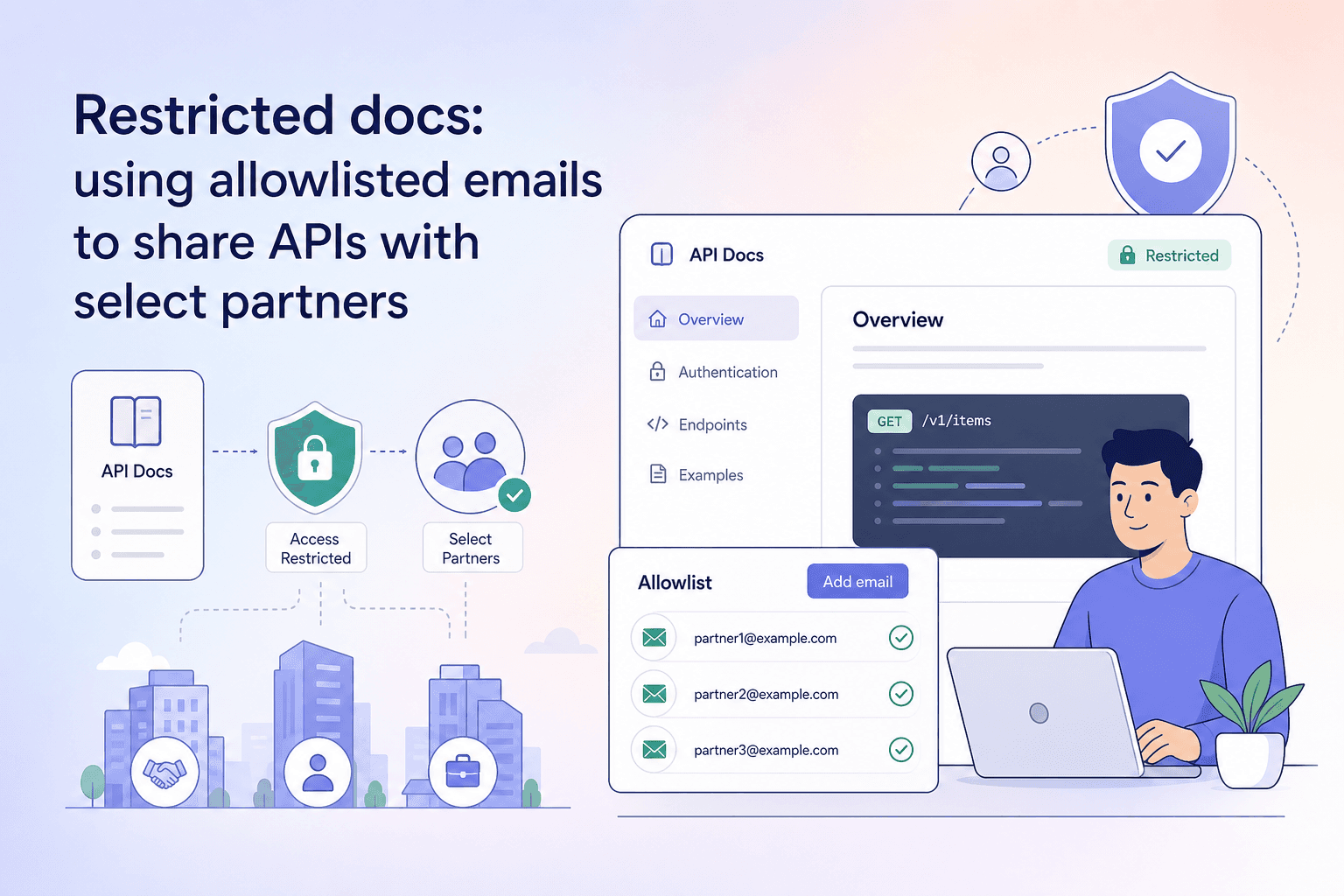
Shipping an API to a select group of enterprise clients or integration partners creates a familiar dilemma: the docs need to be accessible enough that partners can self-serve, but not so open that anyone with the link can read your contracts, schemas, and endpoint details. Emailing PDFs is brittle. A fully public docs site is too permissive. What you need is a middle path — one that enforces identity before granting access, without requiring you to spin up a separate portal or manage passwords.
That is exactly what apikumo's Restricted visibility mode is designed for. This post walks through how all three visibility modes work, when to use each one, and how to set up Restricted access for a real partner scenario.
The three visibility modes at a glance
Every published collection on apikumo gets a public docs site at your-name.apikumo.com. The subdomain is yours to name (3–30 lowercase letters, digits, or dashes), and the site is always reachable at that address — but who can read it is controlled by one of three modes.
| Mode | Who can read it |
|---|---|
| Closed | Owner only — the site exists but is invisible to everyone else |
| Open | Anyone with the link, no sign-in required |
| Restricted | Only allowlisted email addresses, after signing in |
You switch between modes in your collection's Publish settings. The change takes effect immediately — there is no redeploy or cache-flush step.
Closed mode: keeping work private while you build
Closed is the default when you first publish a collection. Your docs site is live in the sense that the subdomain resolves, but any visitor — including someone who knows the exact URL — sees a blank access-denied page rather than your documentation.
This is the right mode when:
- You are actively designing the API and the schema is still changing.
- You want the benefits of the structured schema editor and auto-generated docs pages without exposing draft content.
- You are preparing a versioned snapshot before a partner reveal.
Closed costs you nothing in terms of setup. It is simply the absence of any allowlist or open flag.
Open mode: when broad access is the point
Open mode removes all access controls. Anyone who navigates to your subdomain can read the docs, use the Try-it panel to call your endpoints, and download the OpenAPI 3 export, llms.txt, or Markdown export — all without signing in.
Open is the right choice for:
- Public APIs where discoverability is a feature. Search engines can index the docs; developers stumble on them naturally.
- Open-source projects that want AI agents and LLM-driven tools to be able to fetch the API surface automatically via the
llms.txtendpoint. - Developer evangelism campaigns where friction is the enemy.
The tradeoff is obvious: once it is open, you have no visibility into who is reading or calling your endpoints via the Try-it panel. If that matters, Restricted is a better fit.
Restricted mode: allowlisted access for named partners
Restricted mode sits between Closed and Open. The docs site is reachable, but before any content loads, apikumo checks whether the visitor's signed-in identity matches an address on your allowlist.
Here is what the reader experience looks like step by step:
- A partner navigates to
your-name.apikumo.com. - They are prompted to sign in — with Google, GitHub, or Discord.
- apikumo checks the email address attached to that identity against your allowlist.
- If the address matches, they land on the docs. If not, they see an access-denied message.
There are no shared passwords, no per-partner subdomains, and no token management on your side. The identity check is handled by the OAuth provider the reader already uses.
Setting up your allowlist: a practical walkthrough
Suppose you are an API team at a payments company. You have built a disbursement API that three enterprise clients — Acme Corp, Brightfield, and Castleton — are integrating against. You want each of them to be able to read your docs and use the Try-it panel with their own credentials, but you do not want the docs publicly indexed.
Step 1 — Publish the collection.
Open the collection in apikumo and go to Publish. Pick a memorable subdomain — for example, disbursements-api.apikumo.com. Save it.
Step 2 — Switch the visibility mode to Restricted. In the same Publish panel, select Restricted. The allowlist input field appears.
Step 3 — Add email addresses. Enter the addresses of the individuals at each partner organisation who need access:
kira.osei@acmecorp.com
dev-team@brightfield.io
api-integrations@castleton.com
You can add as many addresses as needed. Each one is checked individually — there is no wildcard domain matching, which is intentional. Restricting to specific named contacts, rather than entire organisations, keeps your allowlist an intentional record of who has access.
Step 4 — Share the subdomain URL.
Send https://disbursements-api.apikumo.com to your contacts. That is the only thing they need. When they visit, they authenticate via their preferred OAuth provider, and if their email matches, they are in.
Step 5 — Rotate access as partnerships change. When a contact leaves one of those organisations, remove their address from the allowlist. Access is revoked immediately — no token invalidation, no password reset cycle.
What restricted readers can actually do
Gaining access to a Restricted docs site gives partners the same experience as any apikumo docs page:
- Browse every endpoint page auto-generated from your collection, including method, URL, parameters, and schemas.
- Use the Try-it panel to call your API directly from the browser, with environment-aware variables and the same auth processors you configured during development.
- Copy per-endpoint permalinks to share specific pages internally within their own team.
- Download exports — OpenAPI 3, Markdown, and
llms.txt— so they can import the spec into their own tooling or feed it to an AI assistant. - Use the docs chat assistant, powered by Claude, which is grounded in your published schemas and descriptions.
Notably, the MCP endpoint for the collection is also reachable on the same subdomain, so partners using Claude, Cursor, or other agent tools can point those tools at your API surface programmatically.
Readers cannot modify your collection, change visibility settings, or see any other collections in your workspace.
Matching visibility mode to API lifecycle stage
A single API rarely stays in one lifecycle stage forever. Here is a practical mapping of which mode fits which stage:
- Design / early beta → Closed. Iterate on schemas freely. Use the versioning feature to snapshot the collection before sharing.
- Private beta / partner integration → Restricted. Allowlist the specific partner engineers doing the integration work. The Try-it panel lets them call real endpoints without asking you for Postman collections or example cURL commands.
- Limited availability / paid tiers → Restricted. Tie access to signed contracts. Add or remove email addresses as accounts are provisioned or churned.
- General availability / open developer ecosystem → Open. Remove friction entirely. Let search engines, AI agents, and developers discover the API on their own terms.
Switching between modes is a single click, so there is no cost to starting Restricted and graduating to Open once you are confident in the API's stability.
A note on secrets and environment variables
When partners use the Try-it panel, they are making real HTTP calls from their browser to your API. apikumo resolves {{variable}} substitutions at send-time using the environment configured for that published collection, which means sensitive values — API keys, base URLs, signing secrets — never need to appear in the docs themselves.
For partners who need to authenticate against your API with their own credentials, configure the collection to use {{api_key}} as a variable and document how readers should supply it. The Try-it panel surfaces the variable input before the request is sent, so each partner can enter their own value without it persisting anywhere else.
This separation between the docs (readable) and secrets (never stored in the docs) is one of the reasons the Restricted model is more robust than sending partners a static spec file: the docs stay live, the variables stay safe, and you control access at the identity layer rather than the URL layer.
Summary
apikumo's three visibility modes — Closed, Open, and Restricted — give you precise control over who reads your API documentation at every stage of the product lifecycle. Restricted mode, with its email allowlist and OAuth-based identity check, is the cleanest solution for partner and enterprise integration scenarios: no shared passwords, no manual exports, and instant revocation when circumstances change. Pair it with environment variables and the Try-it panel, and your partners get a self-service documentation experience that is both controlled and genuinely useful.