
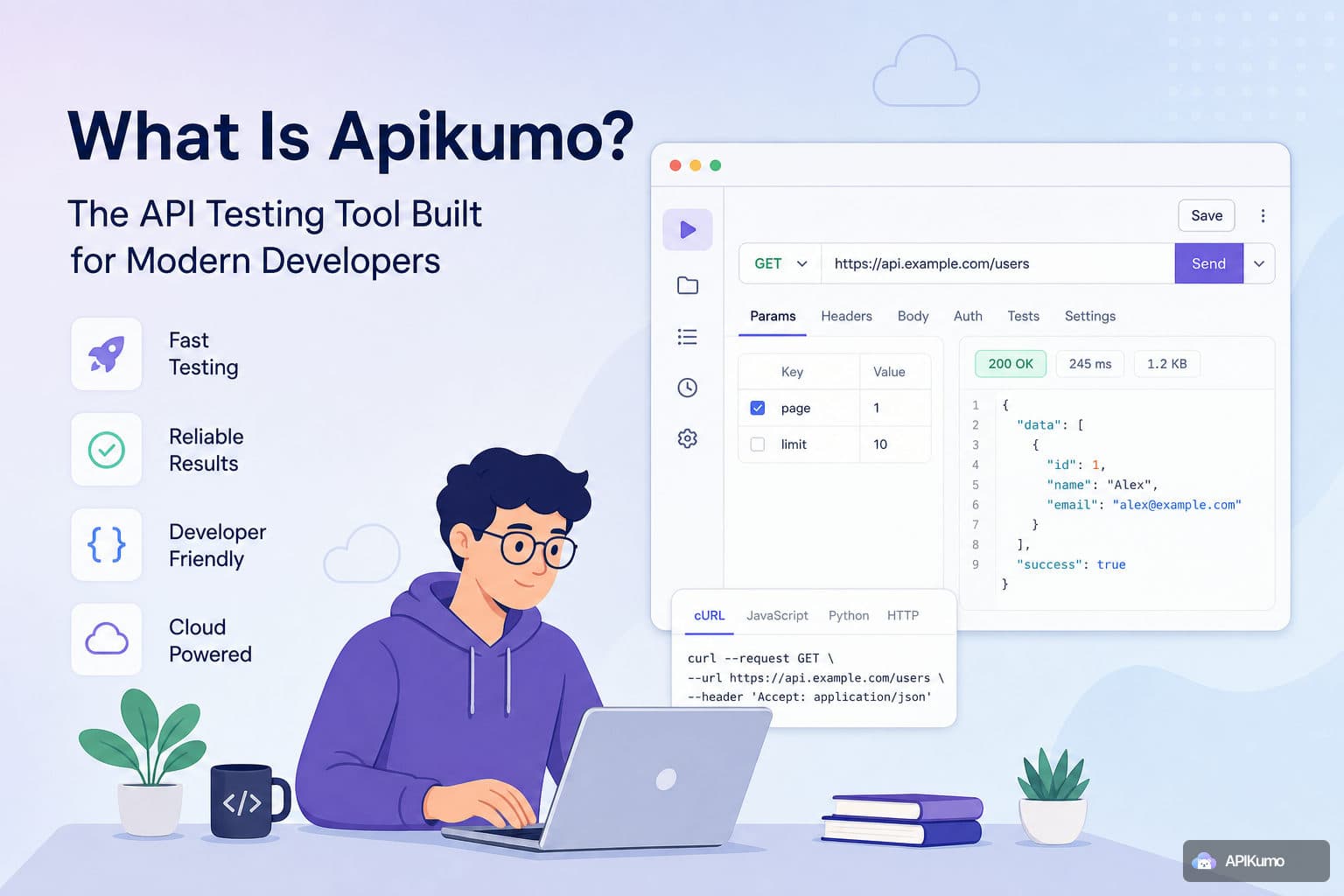
Most API tools start with the same promise: send a request, inspect the response, move on. And for a long time, that was enough. But as APIs become the connective tissue between services, products, and partners, a familiar problem surfaces — documentation that nobody trusts, because it lives somewhere separate from the requests that actually run.
We built apikumo around a different idea. Testing and documentation are not two separate workflows. They are the same workflow, and your tool should treat them that way. Here is a ground-up look at what that means in practice.
One Editor for Every Request
The starting point is the request editor — and we kept it focused. Method, URL, query parameters, headers, body, and auth all live in one place with no hidden menus or modal dialogs to fight through.
Auth is handled out of the box for the patterns most developers hit every day:
- Bearer token — paste a token or reference an environment variable like
{{access_token}} - Basic auth — username and password, Base64-encoded automatically
- API key — drop it into any header or query param by name
The body editor supports JSON, XML, HTML, plain text, JavaScript, GraphQL, and binary. Paste messy JSON from a Slack message and it formats on arrival. Syntax highlighting keeps large payloads readable without switching to an external editor.
Environments and Variables — Secrets That Never Leak
Every saved request uses {{variable}} substitution. Define a variable once in an environment, reference it everywhere, and switch between Local, Staging, and Production with a single click.
Variables resolve at send-time, not at save-time. That distinction matters: it means your collection never stores a raw secret. You can commit a request that reads Authorization: Bearer {{token}} to a shared collection and the actual token stays in your local environment, invisible to anyone else.
GET https://{{base_url}}/v1/orders/{{order_id}}
Authorization: Bearer {{access_token}}
Switching the environment dropdown from Staging to Production changes every one of those values simultaneously, across every open tab.
Collections That Scale With Your API
Requests live inside collections, which support nested folders as deep as you need. Right-click any folder to duplicate, move, or rename it. Use Cmd+K (or Ctrl+K on Windows) to jump to any saved request by name — no scrolling through a tree when a collection has grown to hundreds of endpoints.
Multi-tab editing means you can have five requests open at once: the auth handshake in one tab, the resource creation in another, the assertion in a third. Each tab remembers its own state independently.
Pre- and Post-Processors: Automating the Boring Parts
Real API workflows are rarely a single request. You fetch a token, use it to create a resource, capture the ID, then clean up. apikumo handles this with processors that run before or after every request.
Pre-processors run before send:
- Generate an HMAC signature and write it to a header
- Pull a bearer token from an environment variable and inject it automatically
- Base64-encode a payload field
- Stamp a
nonceandtimestampso replay attacks are not a concern - Skip a request entirely based on a condition
- Run arbitrary logic in a custom JS sandbox
Post-processors run after the response:
- Extract a value via JSONPath —
$.data.id— and store it in a variable - Assert that the status code is
201and fail loudly if it is not - Capture a value from a response header
- Log structured output to the console panel
- Chain into the next request using the captured variable
A concrete example: authenticate, list resources, delete the first one.
- POST
/auth/token→ post-processor extracts$.access_tokeninto{{token}} - GET
/resources→ post-processor extracts$.items[0].idinto{{first_id}} - DELETE
/resources/{{first_id}}→ post-processor asserts status204
No scripting ceremony to set up. The variables flow automatically.
Schemas and Automatically Generated Docs
This is where the testing-equals-documentation idea becomes concrete.
Every saved request becomes a documentation page automatically. Method, URL, parameters, and the latest response are surfaced with no extra writing required. Add a structured schema — field names, types, enums, and examples — and it appears inline in the docs, alongside the request it describes.
When your API ships a new version, snapshot the current collection, keep iterating on the next one, and publish a changelog so readers know exactly what changed. The docs are never a separate artifact you have to remember to update.
Publishing Docs Your Users Can Actually Use
Publish your collection to a public docs site at your-name.apikumo.com. Choose your subdomain (3–30 lowercase letters, digits, or dashes), pick a visibility mode, and you are live.
Visibility modes:
- Closed — owner only, while you are still building
- Open — anyone with the link, no sign-in required
- Restricted — only allowlisted email addresses after sign-in
Every endpoint gets a permalink readers can share. The published site also exposes llms.txt, Markdown, and OpenAPI exports on the same subdomain — no auth headers required — so AI agents and automated pipelines can consume your API surface without special configuration.
The Try-it panel lets readers call your endpoints directly from the docs page, with the same environment-aware variables and auth processors you used during development. Your docs are not just readable; they are runnable.
AI-Native From the Start
Every published docs site includes a chat assistant grounded in the collection's schemas and descriptions — powered by Claude. Readers can ask questions about your API in plain English and get accurate, schema-aware answers rather than searching through endpoint lists.
For developers building AI-driven workflows, each published collection exposes an MCP (Model Context Protocol) endpoint. Claude, Cursor, Continue, and other agent tools can read your API surface and call it directly. Combined with the one-click llms.txt and OpenAPI 3 exports, integrating your API into any LLM-driven pipeline takes minutes rather than days.
Code Samples, Import, and Getting Started
For every live request, apikumo generates code samples in 20+ targets — cURL, Python Requests, JS Fetch, Axios, Go, Swift, PHP Guzzle, C# RestSharp, and more — with environment variables already substituted in. Copy the snippet; it works.
If you are moving from another tool, import your existing work in seconds:
- Postman v2.1 collections
- OpenAPI 3.x or Swagger 2.0 specs
- Insomnia v4 exports
- HAR files
- A raw cURL command pasted into the importer
Sign in with Google, GitHub, or Discord. No credit card, no trial period — free while we are in preview. Your collections sync across every device you sign in from the moment you save your first request.
The Idea in Practice
apikumo is not trying to be another place to send HTTP requests. The request editor, the processor chain, the schema layer, and the published docs site are all expressions of the same principle: the work you do to understand your API is the documentation, and your tool should make that connection automatic.
If your current setup has you maintaining a separate wiki, a Postman collection, and a Notion page that slowly drift apart — this is a different approach. Start with one request, build a collection, publish it, and the docs follow naturally from there.