
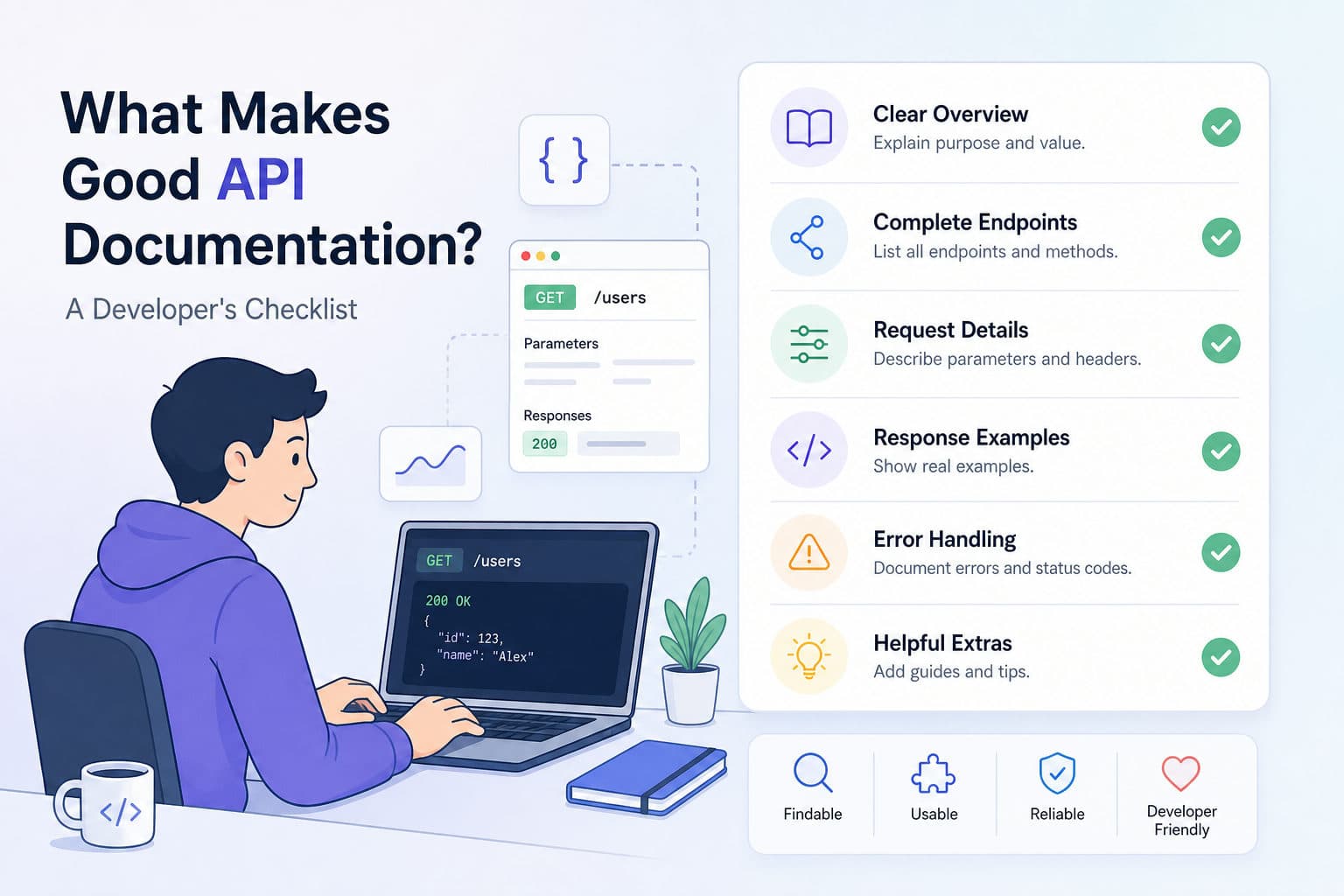
Documentation is the first thing a developer sees after deciding your API might solve their problem. If the docs are thin, confusing, or out of date, they leave — regardless of how good the API actually is. On the other hand, clear and complete documentation shortens the time-to-first-call, cuts support volume, and earns a reputation for developer-friendliness that spreads by word of mouth.
The checklist below is organised by the questions every reader brings to your docs, in roughly the order they ask them.
1. A Clear Overview That Answers "What Does This Do?"
Before a developer reads a single endpoint, they need orientation. Your overview should answer four questions in a few short paragraphs:
- What problem does the API solve? One sentence maximum.
- What kind of API is it? REST, GraphQL, webhooks, streaming — say it plainly.
- What does a successful integration look like? Paint a quick picture.
- What are the rate limits, SLAs, or any important constraints? Surface these early; nobody wants to design around an architecture and discover a 100 req/min ceiling on day three.
Avoid marketing copy here. Developers are scanning for facts.
2. Authentication Documented Up Front
Authentication blocks more first-time calls than anything else. Put it in the second section, not buried in a sidebar. Cover:
- Which schemes are supported — Bearer token, API key, Basic auth, OAuth 2.0.
- Where credentials go — header, query parameter, or request body, and under exactly which key name.
- How to obtain credentials — link to the dashboard, describe the sign-up flow, show the token format.
- Token lifecycle — expiry, rotation, and how to handle a
401.
A concrete example is worth a page of prose:
GET /v1/orders HTTP/1.1
Host: api.example.com
Authorization: Bearer {{api_token}}
The {{api_token}} placeholder mirrors the variable substitution syntax developers will use inside apikumo — when they paste the request into their workspace, they can wire it straight to an environment variable and the real value is never stored in plain text.
3. Endpoint Reference With Every Parameter Explained
Each endpoint should have its own page or clearly delineated section. The minimum viable entry covers:
- Method and path —
GET /v1/orders/{order_id} - Short description — one sentence on what it does and when to use it.
- Path, query, and header parameters — name, type, whether it is required, and a concrete example value.
- Request body schema — field names, types, enums, and which fields are optional.
- Response schema — mirror the same detail for the success response.
- A real request/response pair — not a schematic, but actual JSON a developer can compare against.
The schema detail matters. Listing status: string is less useful than status: string — one of "pending", "fulfilled", "cancelled". Enumerating allowed values is the difference between documentation and a reference.
4. Runnable Examples Developers Can Execute Immediately
Static code samples get copied and pasted; runnable examples get used. The gold standard is a Try-it panel embedded in the docs themselves — the reader fills in their credentials, adjusts a parameter, and fires the real API without leaving the page.
For readers who prefer their own environment, include code samples in the languages your audience actually uses. At minimum:
# cURL
curl -X GET "https://api.example.com/v1/orders/ord_123" \
  -H "Authorization: Bearer {{api_token}}"
# Python — requests
import requests

response = requests.get(
    "https://api.example.com/v1/orders/ord_123",
    headers={"Authorization": f"Bearer {api_token}"}
)
print(response.json())
Generated samples that reflect the actual saved request — including your environment variables — are far more useful than hand-written snippets that drift out of date.
5. A Complete Error Reference
Error handling is where integrations succeed or fail at 2 a.m. A complete error reference includes:
- Every HTTP status code your API returns — not just
200and500, but400,401,403,404,409,422, and429. - Your error object schema — show the exact shape: error code, human-readable message, and any additional fields like
fieldorrequest_id. - What the developer should do — not just what went wrong, but how to recover.
For example:
{
  "error": {
    "code": "RATE_LIMIT_EXCEEDED",
    "message": "You have exceeded 100 requests per minute.",
    "retry_after": 30
  }
}
Note the retry_after field — documenting actionable fields like this is what separates a frustrating error from a self-service fix.
6. Getting Started Guide or Quick-Start Tutorial
A reference section tells developers what exists. A getting-started guide shows them how to accomplish something real in under ten minutes. The best quick-starts:
- Assume only that the reader has obtained credentials.
- Walk through one complete, useful flow — not a trivial "Hello, World" but also not your most complex endpoint.
- Show the full request and the full response at each step.
- Call out common mistakes and how to avoid them.
If your API has a natural onboarding sequence — authenticate, create a resource, read it back, then delete it — that sequence is your quick-start. Walk it end to end.
7. Versioning and a Changelog
Nothing erodes trust faster than docs that silently diverge from the API. Versioning discipline signals maturity:
- Label which version the docs describe — in the URL, the header, or both.
- Keep a changelog — every breaking change, deprecation, and new field, with dates. Bullet lists are fine; wall-of-text prose is not.
- Preserve old versions — developers mid-integration should be able to read the docs that match the version they are calling.
A changelog entry might look like:
2025-06-10 — v2.3
- Added
retry_afterfield to rate-limit error responses.- Deprecated
GET /v1/legacy/orders— will be removed in v3.0 (2025-12-01).
Short, dated, and specific. That is all it needs to be.
8. Discoverability: Search, Permalinks, and Machine-Readable Exports
Even perfect content fails if developers cannot find it. A few structural requirements:
- Full-text search across all endpoints and schemas — developers search for field names, not section titles.
- Per-endpoint permalinks so team members can share a link directly to
POST /v1/orderswithout saying "page four, third section". - Machine-readable exports — an OpenAPI 3 spec and an
llms.txtfile mean AI assistants, Cursor, and internal tooling can consume your API surface automatically, without human copy-paste.
Machine-readable formats are increasingly the first interface an AI-assisted developer uses. Treating them as an afterthought is a missed opportunity.
Putting It All Together
Good documentation is not written once and forgotten — it is kept accurate, tested against the real API, and updated with every release. Use the checklist above as a review gate before you publish: overview ✓, authentication ✓, endpoint reference with schemas ✓, runnable examples ✓, error reference ✓, quick-start ✓, versioning and changelog ✓, discoverability ✓.
When your docs pass every item, support tickets drop, integration time shrinks, and developers recommend your API to colleagues. That word-of-mouth is the return on the investment you make in documentation quality.