
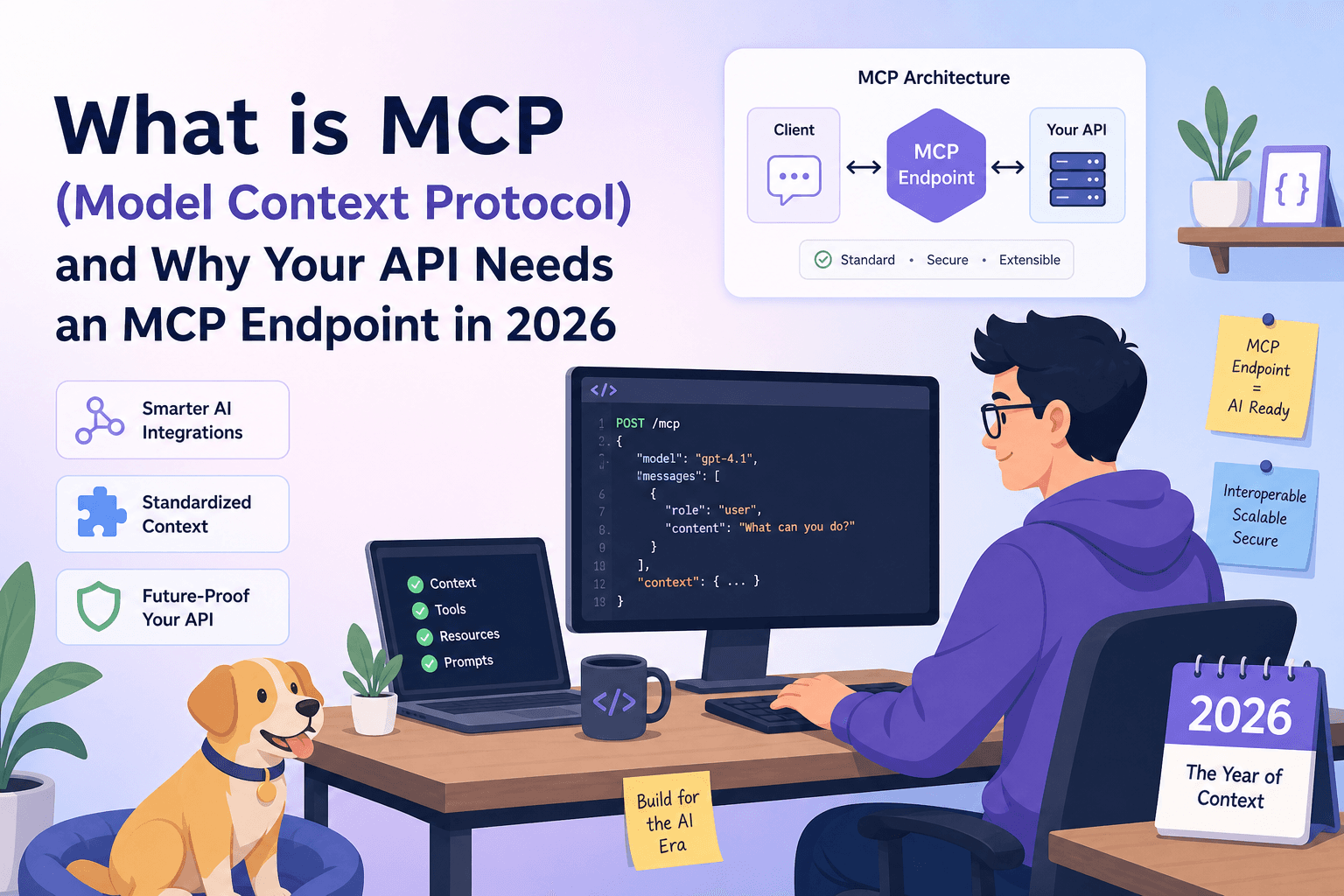
Something quiet happened while everyone was arguing about which LLM had the best benchmark scores. Developers started expecting AI agents to do things — not just answer questions, but actually call APIs, chain requests, and operate autonomously inside real products. That shift created an immediate plumbing problem: how does an AI agent discover what your API can do and then call it safely? The answer the industry is converging on is Model Context Protocol, and if you ship an HTTP API, you should understand it now.
What Is Model Context Protocol?
Model Context Protocol (MCP) is an open standard that defines how an AI model or agent communicates with an external tool, data source, or API. Think of it as a structured handshake: the MCP server exposes a machine-readable description of what it can do (its tools), and the MCP client — Claude, Cursor, Continue, or any compatible agent — reads that description, reasons about it, and calls the right tool with the right parameters.
Before MCP, connecting an LLM to your API meant writing a bespoke plugin, maintaining a custom function-calling schema, and keeping it in sync every time your API changed. MCP replaces all of that with a single, stable interface:
- Discovery — the agent asks the MCP server: what tools do you have?
- Invocation — the agent calls a tool with structured arguments.
- Response — the server returns a result the agent can reason over.
That is the whole loop. Simple in principle; transformative in practice.
Why Claude, Cursor, and Continue Need It
LLM-powered tools have hit a ceiling with plain text context. You can paste your OpenAPI spec into a chat window and ask Claude to help you, but that is a one-shot, read-only interaction. The model cannot actually execute a request, observe a real response, and adapt — it can only simulate.
MCP changes the relationship from reading about your API to operating inside it. When Cursor has an MCP endpoint for your API:
- A developer can say "create a new workspace and return the ID" and Cursor will call
POST /workspaces, inspect the response, and use the returnedidin the next step — all without the developer writing a single line of client code. - Claude can walk a user through a support workflow by actually querying their account state in real time, not from stale training data.
- Continue can scaffold an integration by calling your API's list endpoints first, then generating code that matches the real field names and enum values it received.
The common thread: the agent needs live, structured, callable context — not documentation it has to interpret. MCP provides exactly that.
A Concrete Use Case: An Agent That Reads and Calls Your API
Imagine you run a project management API. You have endpoints for projects, tasks, members, and comments. A developer integrating your API opens Cursor, points it at your MCP endpoint, and types:
"List all overdue tasks across every project and assign them to user 42."
Without MCP, Cursor would write code that attempts to do this — probably with a few hallucinated field names. With MCP, Cursor actually runs the workflow:
1. tools/call → GET /projects           → [{ id: 1, name: "Alpha" }, ...]
2. tools/call → GET /projects/1/tasks?status=overdue → [{ id: 88 }, ...]
3. tools/call → PATCH /tasks/88         → { assignee_id: 42 }
   ... repeats for each overdue task
Every call goes through your real API. Every response is real data. The agent adapts based on what it sees — if project 3 returns a 403, it logs it and moves on rather than crashing.
This is the pattern that makes MCP genuinely different from documentation or even OpenAPI specs: it is executable context, not descriptive context.
How to Build an MCP Endpoint: The Manual Path
If you want to roll your own MCP server, the official spec gives you the building blocks. In broad terms, you need to:
- Define your tool list — a JSON structure that names each callable operation, describes its input schema, and documents what it returns.
- Implement the transport — MCP supports HTTP+SSE and stdio; most web API scenarios use HTTP.
- Handle
tools/listrequests — the agent calls this once to discover available tools. - Handle
tools/callrequests — receive a tool name and arguments, proxy the call to your real API, and return a structured result. - Keep it in sync — every time your API changes, your MCP server needs updating too.
For a small, stable API this is manageable. For anything with more than a dozen endpoints, or any team shipping weekly, the maintenance burden compounds fast. The tool list drifts. Schemas go stale. Agents start failing in subtle ways that are hard to debug.
The Auto-Generated Path: What apikumo Does Differently
This is where we think we have something worth paying attention to.
Every collection you publish on apikumo gets an MCP endpoint automatically — no separate server to write, no tool list to maintain by hand. When you save a request, define its schema, and publish the collection, the MCP endpoint is live. It reflects your actual collection: the real methods, real parameters, real schemas, and real examples you have already captured while building and testing.
The endpoint lives at the same subdomain as your published docs:
https://your-name.apikumo.com/mcp
Point Claude Desktop, Cursor, or Continue at that URL and they can immediately discover and call every endpoint in your collection. Because the MCP definition is derived from the same source of truth as your docs, it cannot drift — update your collection, republish, and the MCP endpoint updates with it.
You also control visibility. The same three modes that protect your docs site apply to the MCP endpoint:
- Closed — only you can access it, useful while you are building.
- Open — anyone with the link can use it, good for public APIs.
- Restricted — only allowlisted emails after sign-in, for partner or beta access.
And because we also export llms.txt and full Markdown and OpenAPI 3 docs on the same subdomain, an AI agent can choose the format that fits its workflow — structured tool calls via MCP, or raw context via llms.txt — without you doing anything extra.
MCP vs. OpenAPI: Do You Need Both?
Short answer: yes, and they serve different roles.
OpenAPI is a description format. It is excellent for generating client SDKs, validating requests, powering documentation, and giving a human or model a complete picture of your API surface. But OpenAPI is not executable on its own — a model reading your OpenAPI spec still has to write code or make raw HTTP calls to actually do anything.
MCP is a runtime protocol. It is the layer that lets an agent act — call a specific tool, get a structured response, and continue reasoning. It is narrower in scope than OpenAPI but purpose-built for agentic workflows.
The practical answer for 2026: publish an OpenAPI export for developers and tooling that expects it, and publish an MCP endpoint for agents that need to do things. With apikumo you get both from the same collection, with no extra work.
What to Do Right Now
If you already have your API requests saved in apikumo, you are one publish away from an MCP endpoint:
- Open your collection and make sure each request has a name, a description, and a response schema — these become the tool descriptions the agent reads.
- Hit Publish. Choose your subdomain, set visibility, confirm.
- Copy the MCP endpoint URL from the published docs sidebar.
- In Claude Desktop, Cursor, or Continue, add the URL as an MCP server. The agent will immediately list your tools and be ready to call them.
If you are importing an existing API, drop in a Postman v2.1 collection, an OpenAPI 3.x spec, or a cURL command and your collection is ready to publish in under a minute.
The single biggest thing holding back agentic tooling right now is not model capability — it is the friction of giving models safe, structured, up-to-date access to real APIs. MCP solves the protocol side of that problem. We handle the infrastructure side.
MCP is not a niche spec for AI researchers — it is becoming the standard interface between agents and the APIs they need to operate. The teams that make their APIs MCP-accessible now will have a significant head start as agentic workflows move from demos into production. If your API is already in apikumo, your MCP endpoint is waiting. If it is not, getting it there takes less time than writing a single tool handler by hand.