
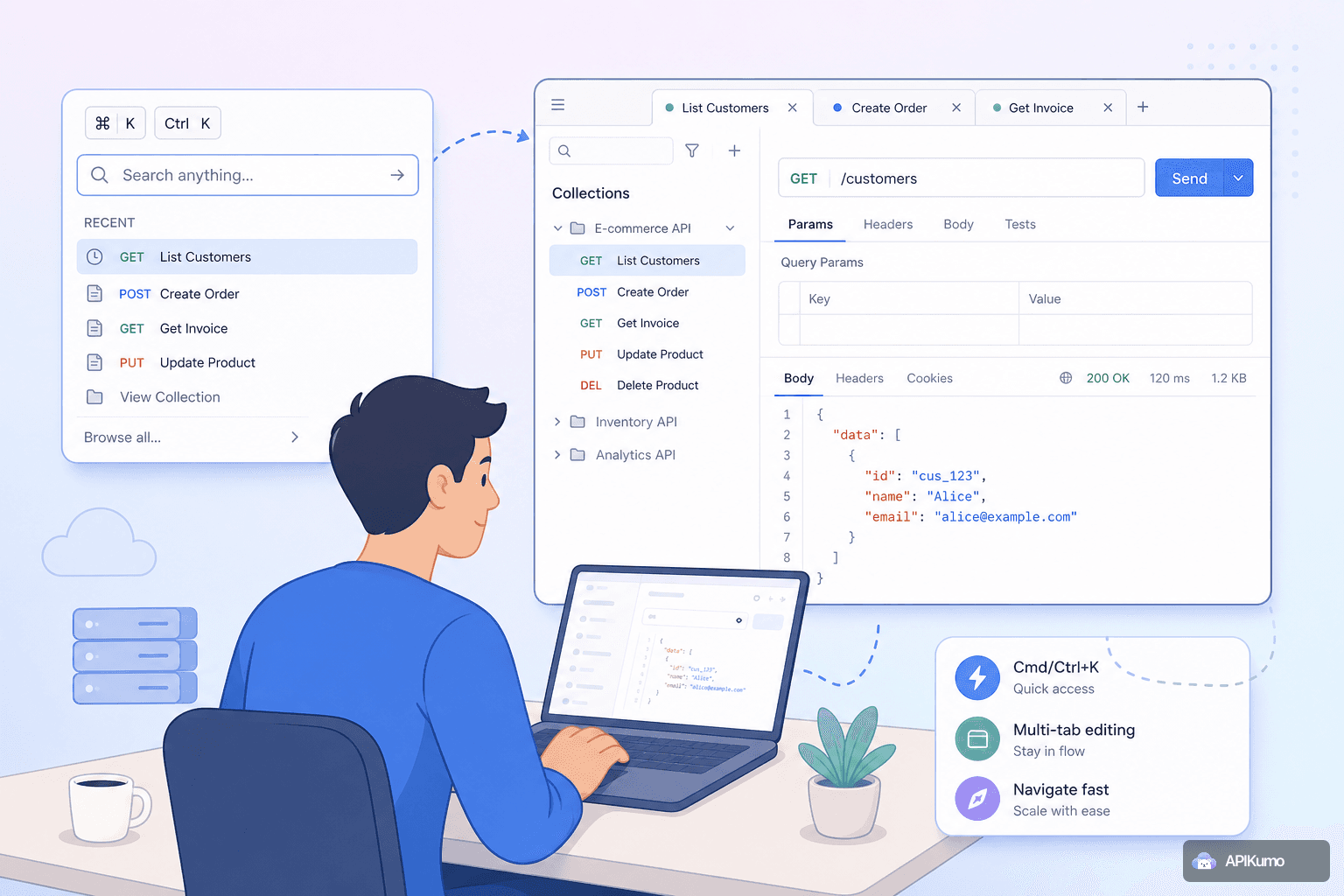
Using the Cmd/Ctrl+K palette and multi-tab editing to navigate large collections fast
When your apikumo workspace grows to dozens or hundreds of saved requests, knowing how to navigate it efficiently matters as much as knowing your API. This guide covers the keyboard-first workflows — the command palette, multi-tab editing, and right-click context menus — that keep you moving fast.
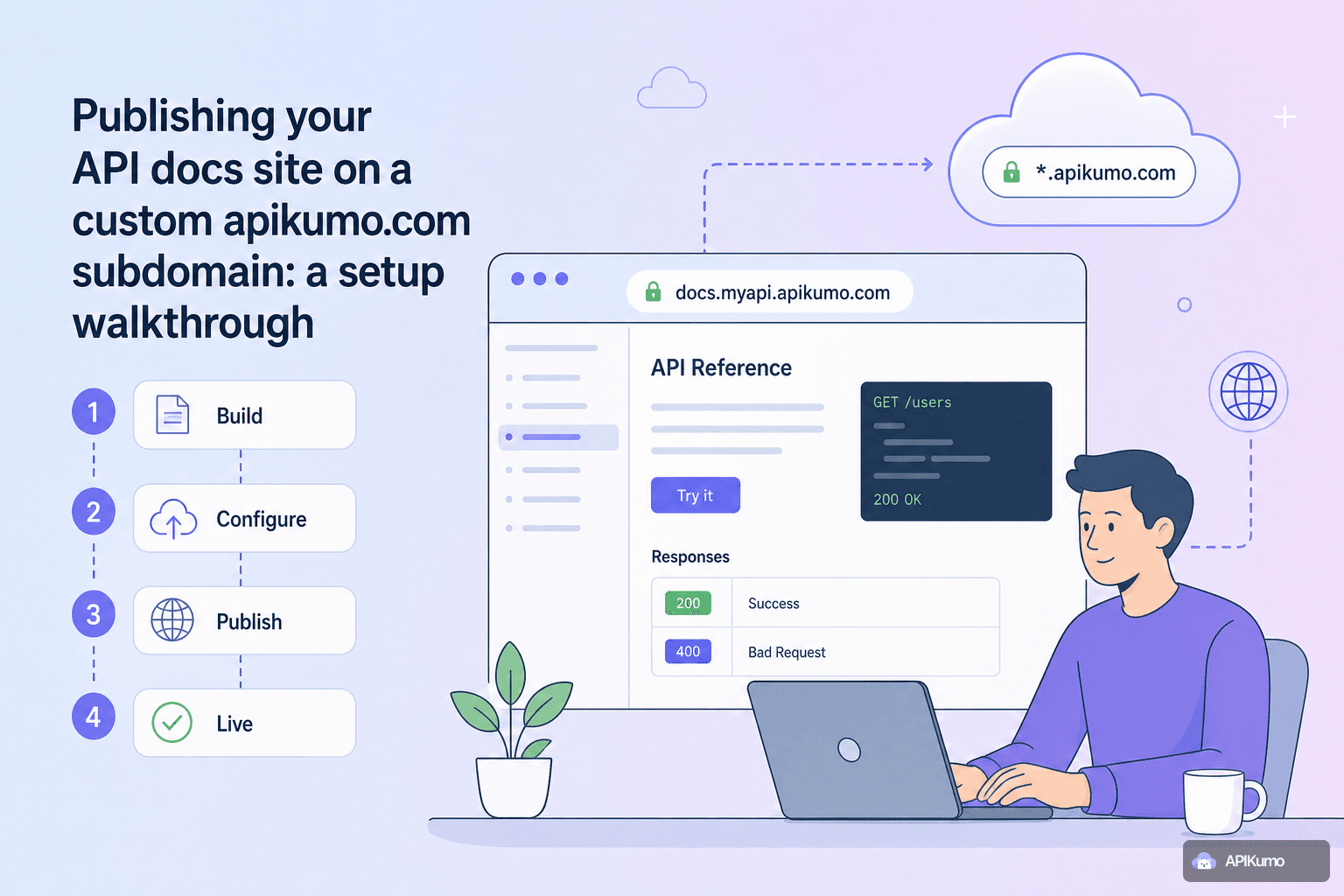
Publishing your API docs site on a custom apikumo.com subdomain: a setup walkthrough
Learn how to publish your API documentation to a public apikumo.com subdomain — from picking a memorable name and setting visibility to sharing per-endpoint permalinks and exposing llms.txt so AI agents can discover your API.
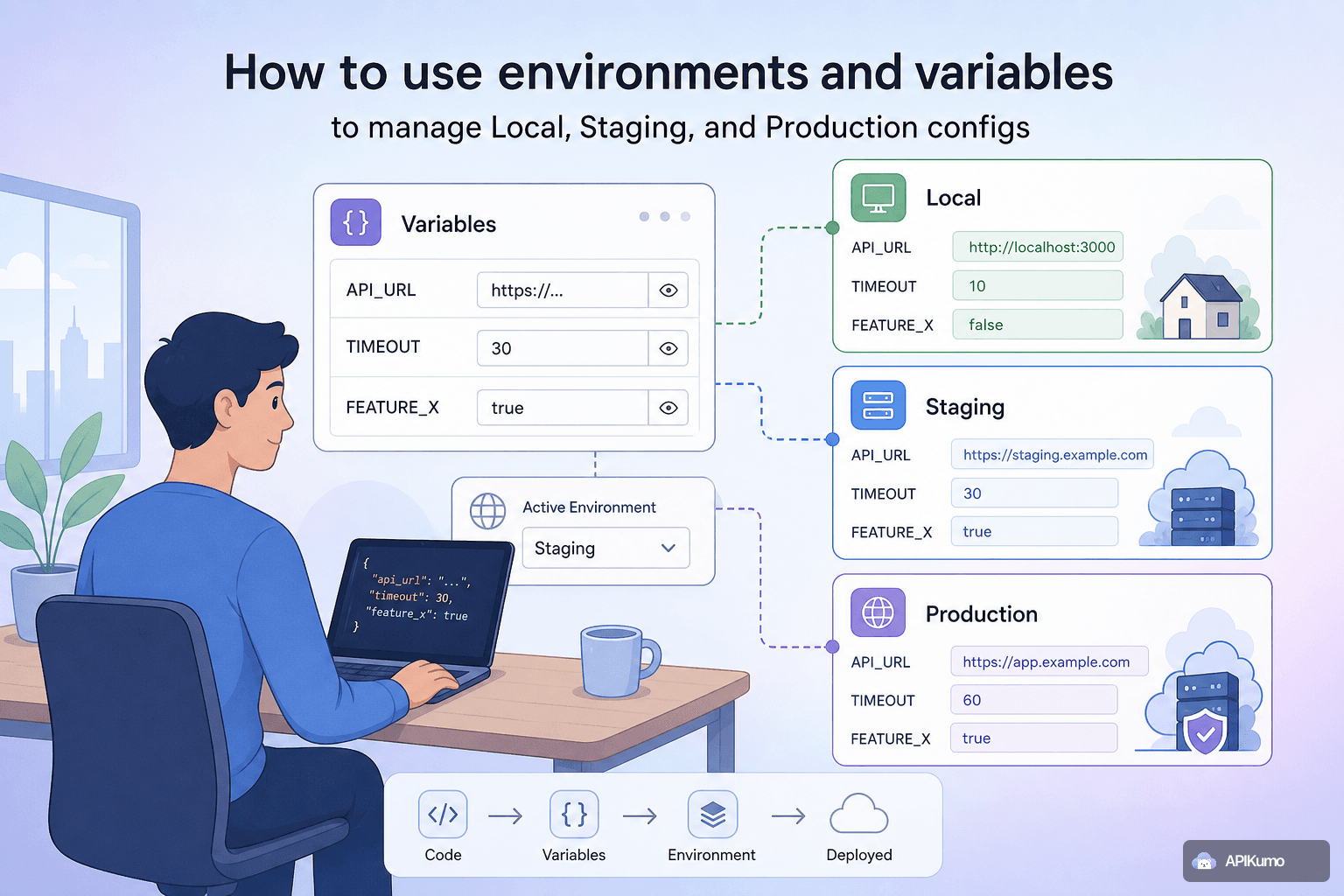
How to use environments and variables to manage Local, Staging, and Production configs
Managing Local, Staging, and Production API configs in one tool is painless when you use apikumo's environments and {{variable}} substitution — here's a complete walkthrough.
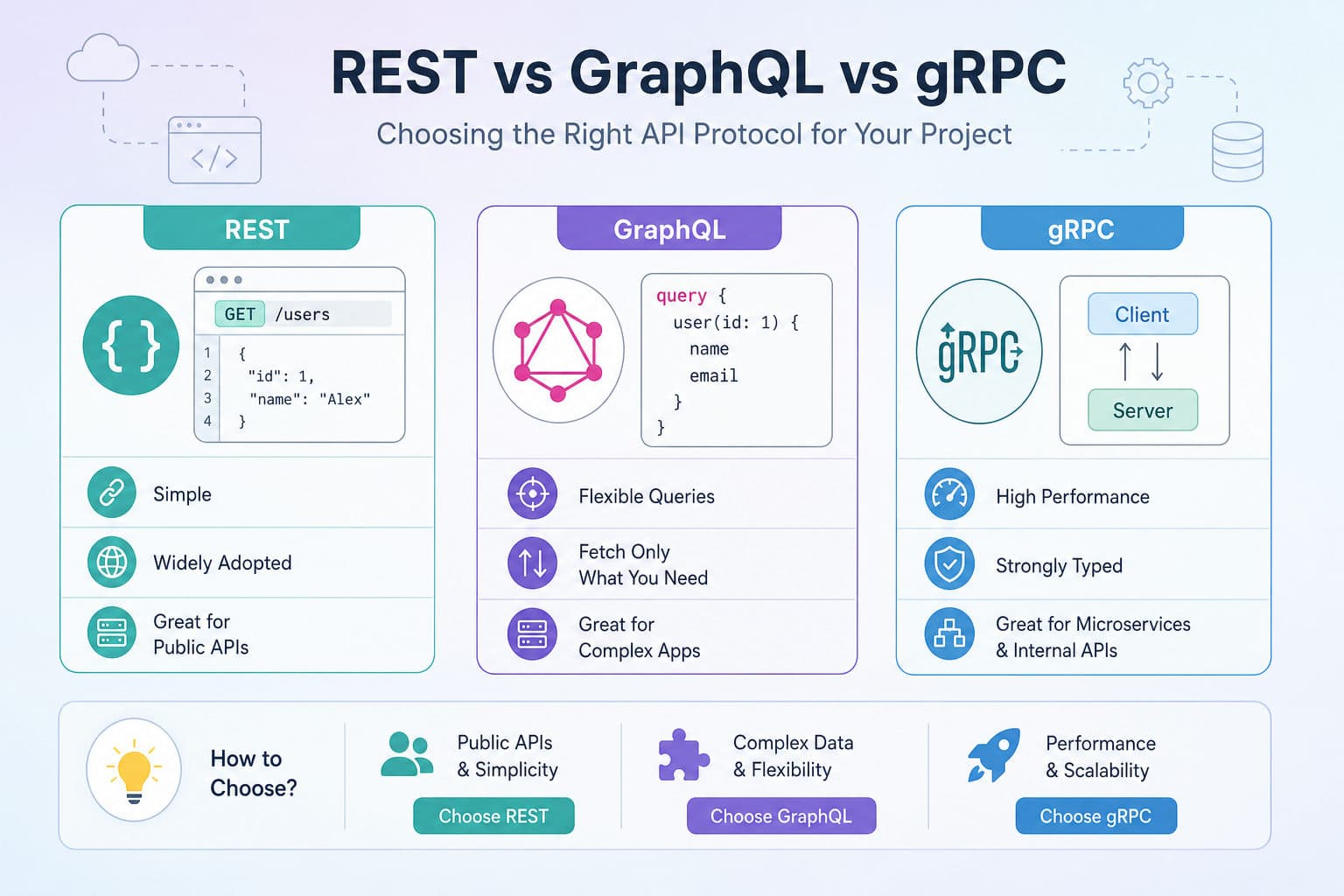
REST vs GraphQL vs gRPC: Choosing the Right API Protocol for Your Project
The protocol you choose shapes everything — from performance to developer experience. This guide cuts through the hype with practical trade-offs and real-world use cases for each approach.
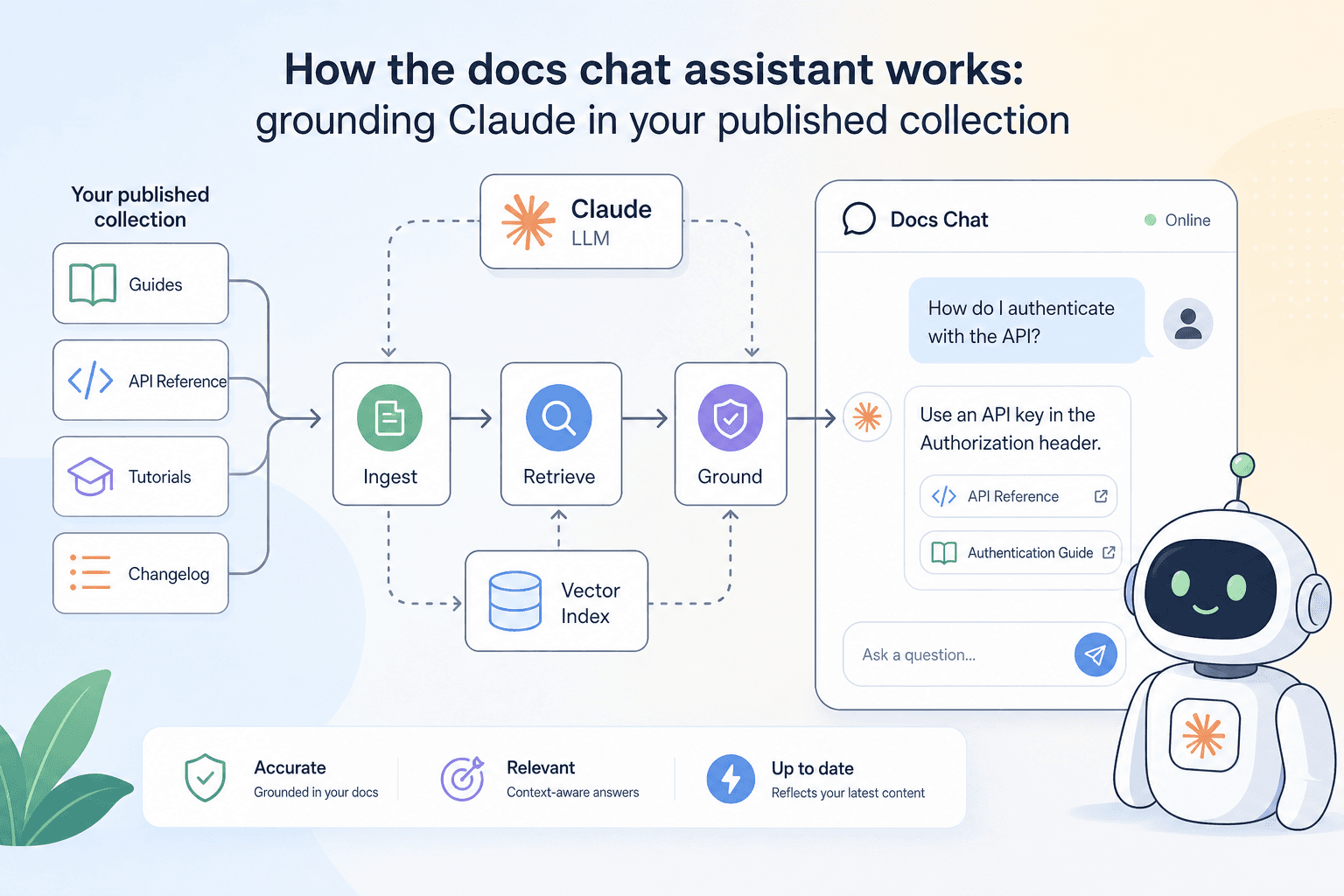
How the docs chat assistant works: grounding Claude in your published collection
apikumo's docs chat assistant puts a Claude-powered assistant directly on your published API docs site, grounded in your collection's schemas and descriptions — here's how it works and how to get the best out of it.
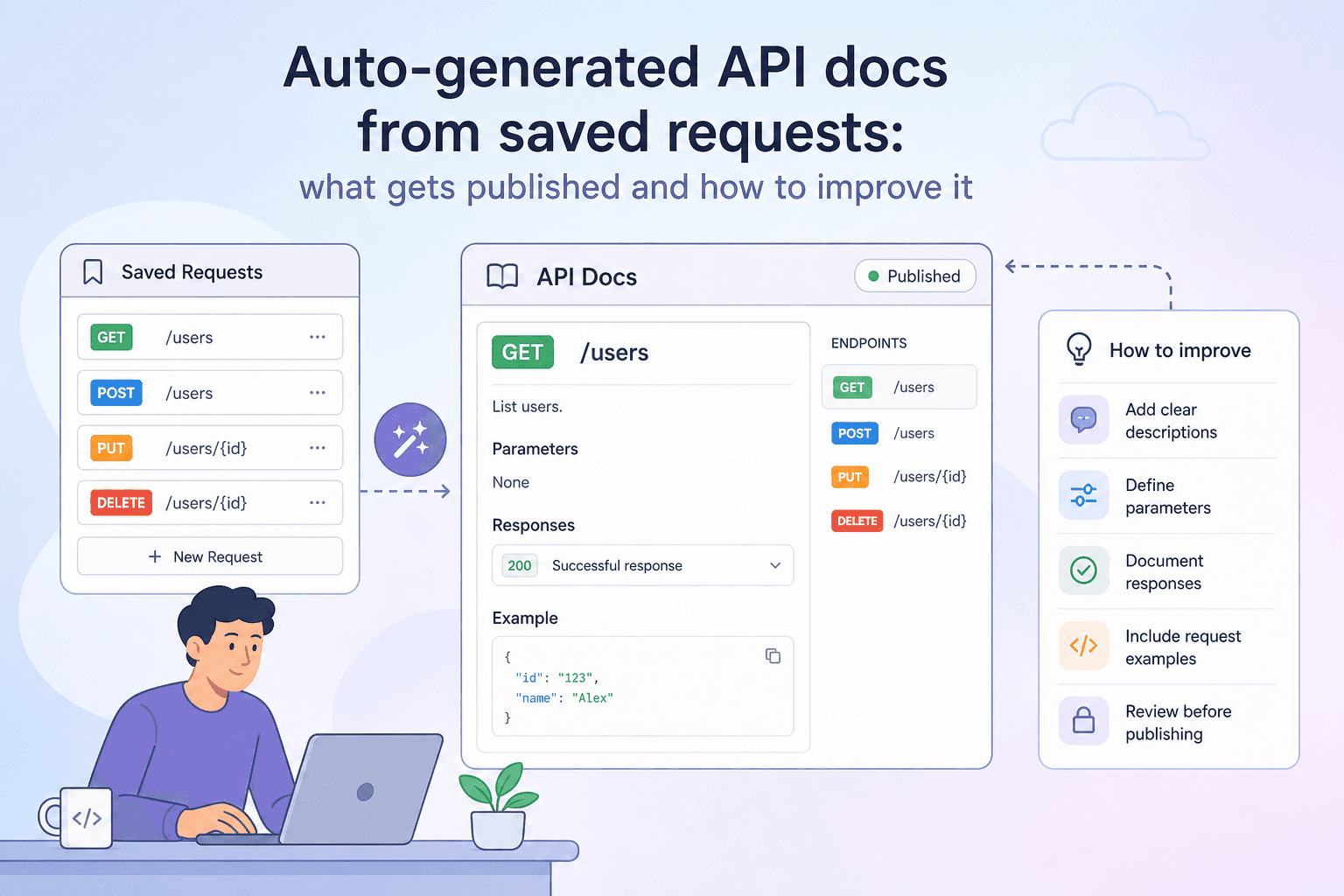
Auto-generated API docs from saved requests: what gets published and how to improve it
When you save a request in apikumo, a docs page is generated automatically — no extra writing required. This post explains exactly what gets published and how to enrich it with schemas, descriptions, and examples.
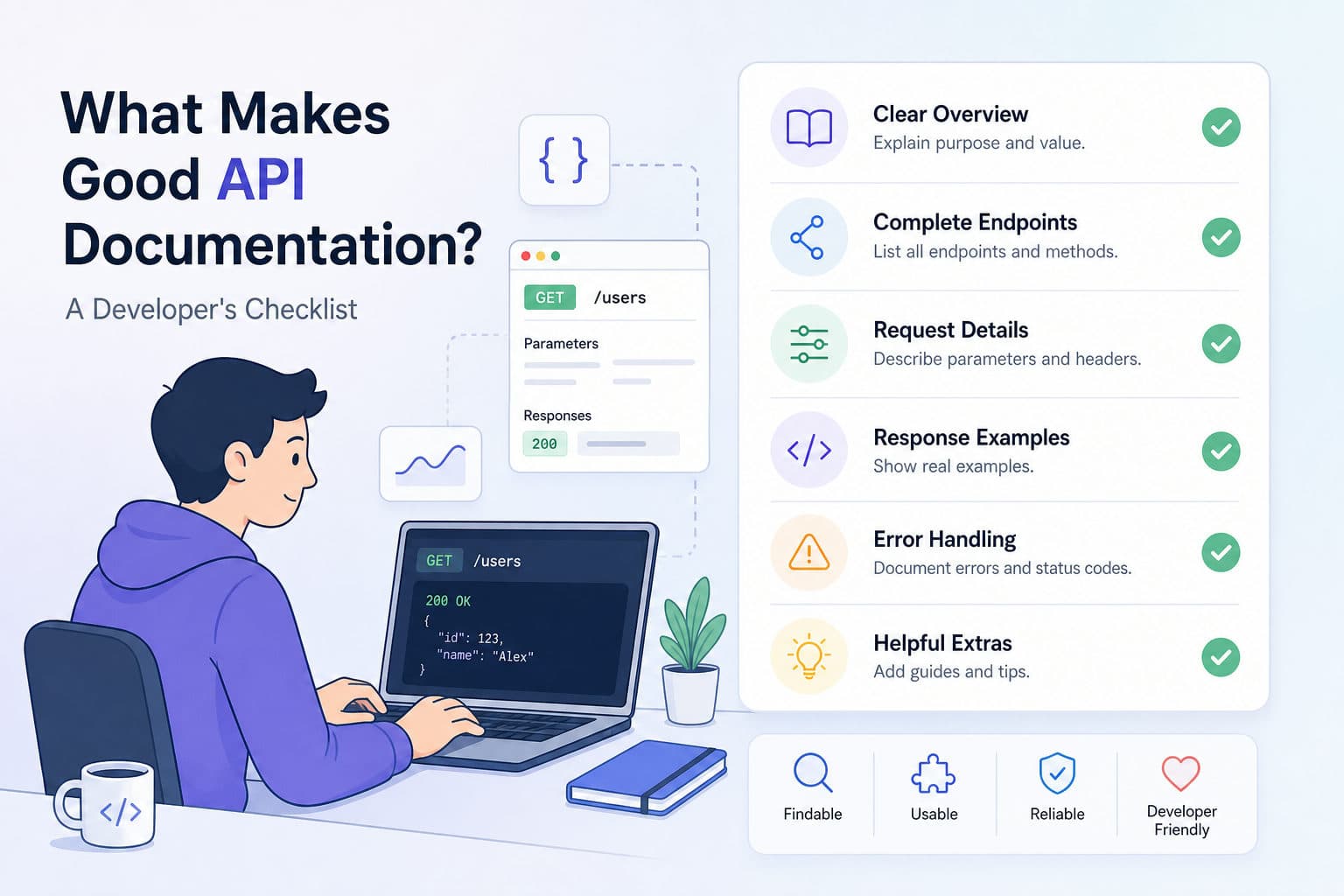
What Makes Good API Documentation? A Developer's Checklist
Good API documentation reduces support tickets — great documentation makes developers love your API. Here is a practical checklist covering structure, examples, error references, and authentication so your docs actually get read.
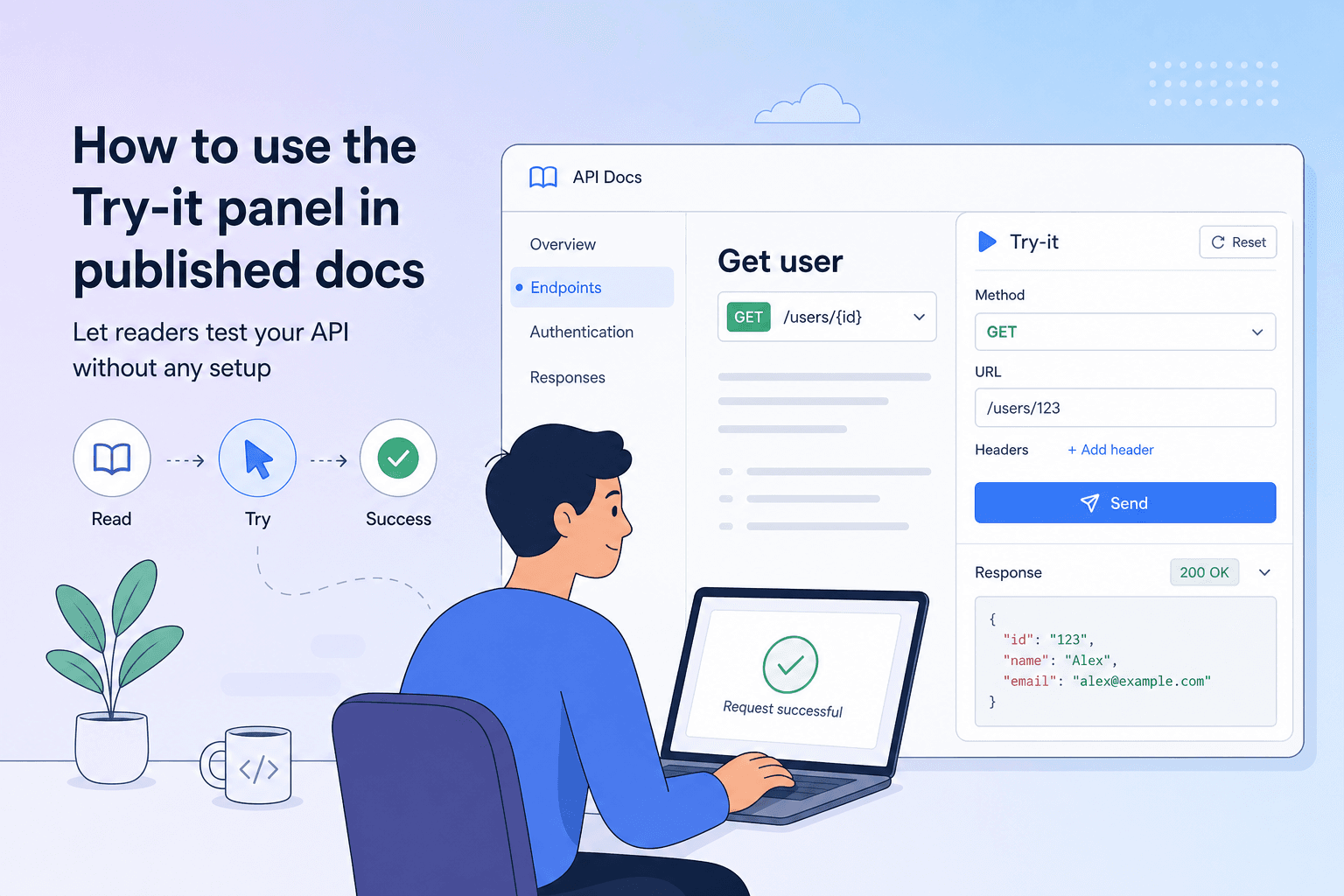
How to use the Try-it panel in published docs to let readers test your API without any setup
The Try-it panel in apikumo's published Docs Sites lets readers call your API endpoints directly from the documentation page — no Postman, no curl, no local setup required. Here's how to configure it so your consumers go from reading to running in under a minute.
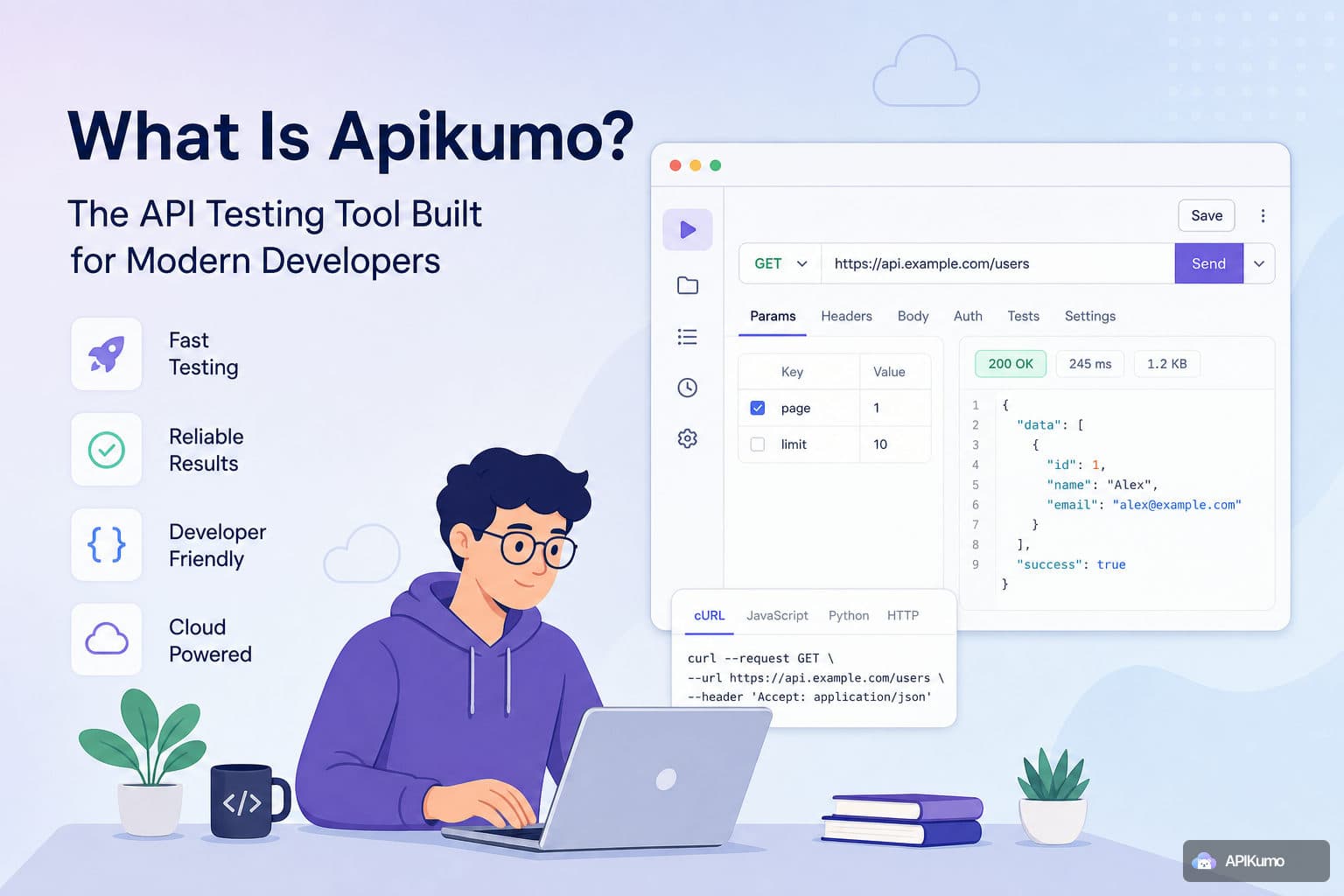
What Is Apikumo? The API Testing Tool Built for Modern Developers
Most API tools make you choose between testing and documentation. apikumo is built around the idea that they are the same workflow, and your tool should treat them that way.